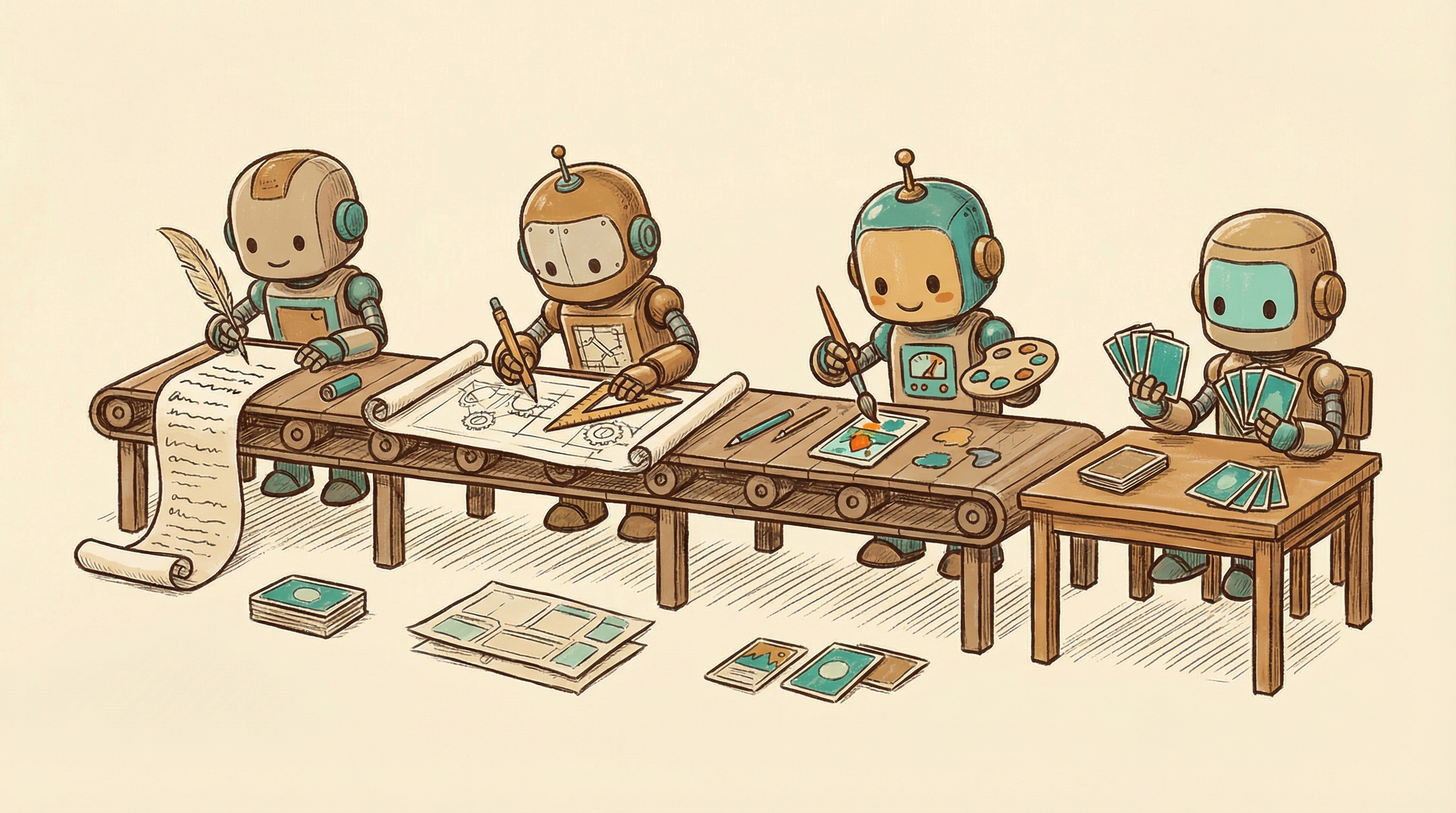
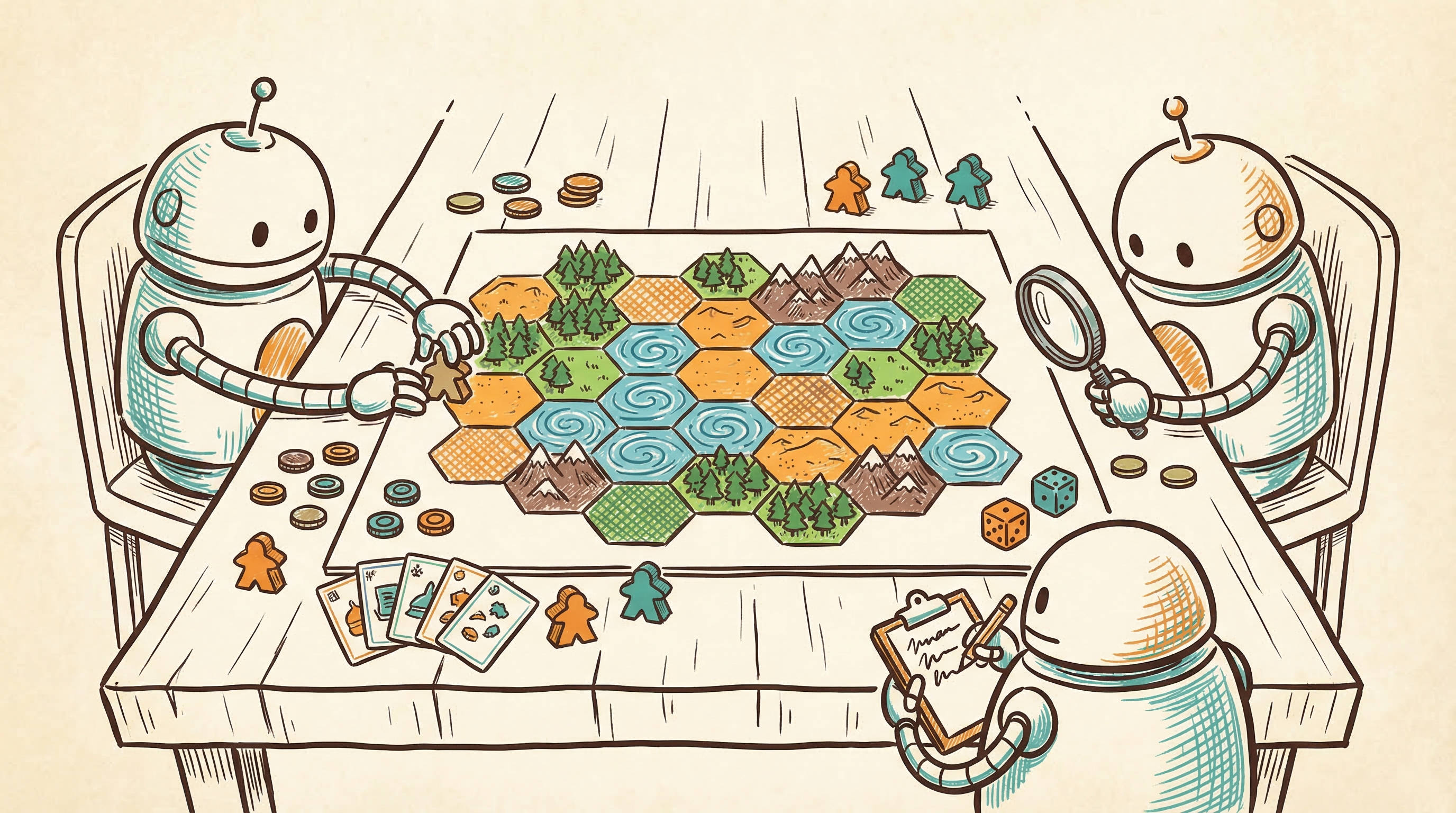
artwork by Gemini 3 Pro
Three Waves of Card Game Design Tools
Card Architecture
Part 1 of 3I am a software architect by profession, but a game designer at heart. When I first looked at how card games get made, I recognized the pain immediately. Hundreds of interdependent data fields living in fragile spreadsheets. Manual rendering pipelines where a three-pixel change means recompiling an entire deck. Hours of tedious formatting before you can even test whether the game is fun. As a programmer, this kind of repetitive, error-prone manual process is exactly the thing I have spent my entire career building tools to eliminate. Behind every elegant piece of cardboard is a staggering web of math, probability, edge case testing, and tedious layout formatting. Over the past 15 years, the tools available to card game designers have gone through three distinct waves of evolution. This article traces that arc from the scripting trenches of the mid-2000s to the AI-native pipelines of 2026.
This is Part 1 of the Card Architecture series. My interest in card game architecture is not new. Back in 2021, I spent a month reverse-engineering Race for the Galaxy, dissecting its game model, action engine, and neural network AI. That deep dive taught me how much hidden complexity lives inside a well-designed card game, how tightly the mechanics, the card interactions, and the AI decision-making are coupled together. It also left me frustrated with how manual the entire design and prototyping process remained.
Programmers are lazy in the best possible way: we hate repeating ourselves, and we will spend a week automating a task that takes ten minutes, purely out of principle. That instinct, combined with what I learned from studying Race for the Galaxy’s architecture, is what pulled me into building AI-native game design tools over the past year. But the deeper I got, the more I realized that game design is not a simpler version of software design. It is a different medium with its own complexity, its own craft, and its own hard-won expertise. This series is my attempt to make sense of that world. Subsequent articles will cover multi-agent card generation, the schema limits exposed by famous games like Wingspan and Terraforming Mars, the export pipeline from data to playable prototype, and the algorithms that draw board game maps.
The Minor Miracle of a Finished Deck
When you hold a finished card game in your hands, you are holding a minor miracle. Every card in that deck has to talk to every other card. The costs have to scale with the power. The combos have to exist without being degenerate. The types have to distribute across the deck so that no strategy completely dominates. And every single piece of rules text has to be unambiguous enough that two strangers can sit down and agree on what it means.
If even one number is off, the whole ecosystem collapses. A card that costs one resource too little warps the meta. A combo that the designer missed creates an unbeatable strategy that players discover on their second game night. A piece of ambiguous text spawns a 200-comment thread on BoardGameGeek about whether “adjacent” includes diagonals.
For decades, the barrier to entry in game design was not having a good idea. Good ideas are everywhere. The barrier was having the sheer clerical stamina to manage the data. Hundreds of cards, each with five to ten interdependent fields, all living in a spreadsheet that grows more fragile with every edit. In software, we would call this accidental complexity: difficulty that comes from the tools, not from the problem itself. The history of card game design tools is the history of chipping away at that accidental complexity.
That history falls into three clear waves.
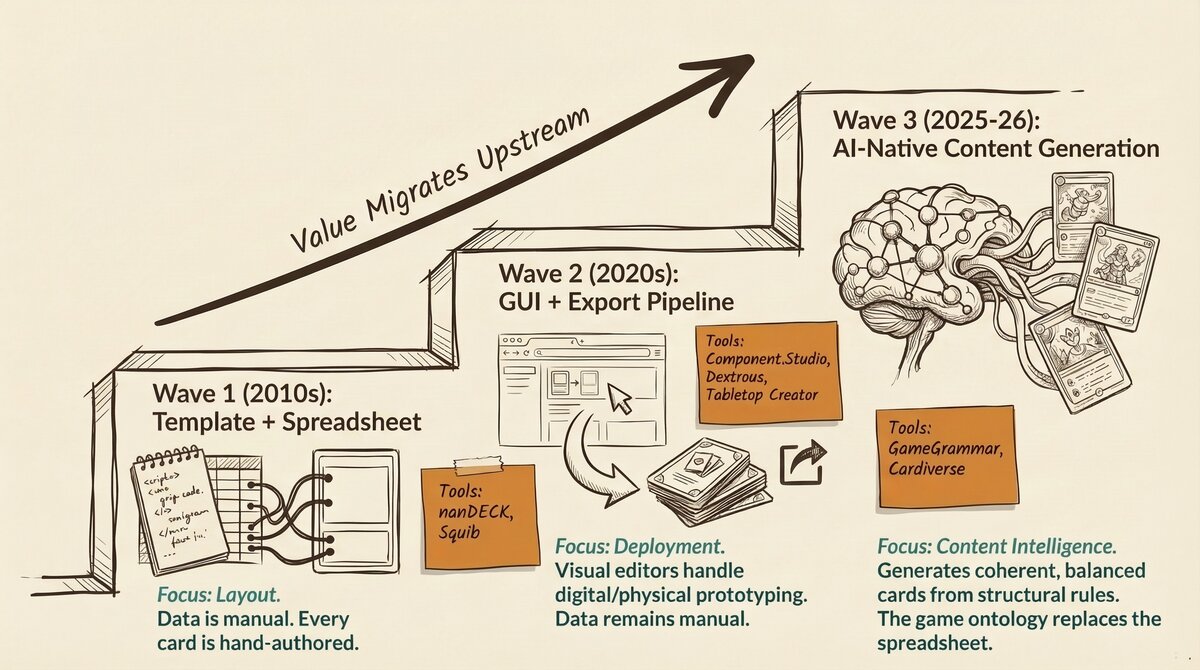 Figure 1. The three waves of card game design tools: from scripting and spreadsheets, to visual editors, to AI-native pipelines that understand your game.
Wave 1: The Template Era (2006-2010s)
Scripts, Spreadsheets, and Pixel Coordinates
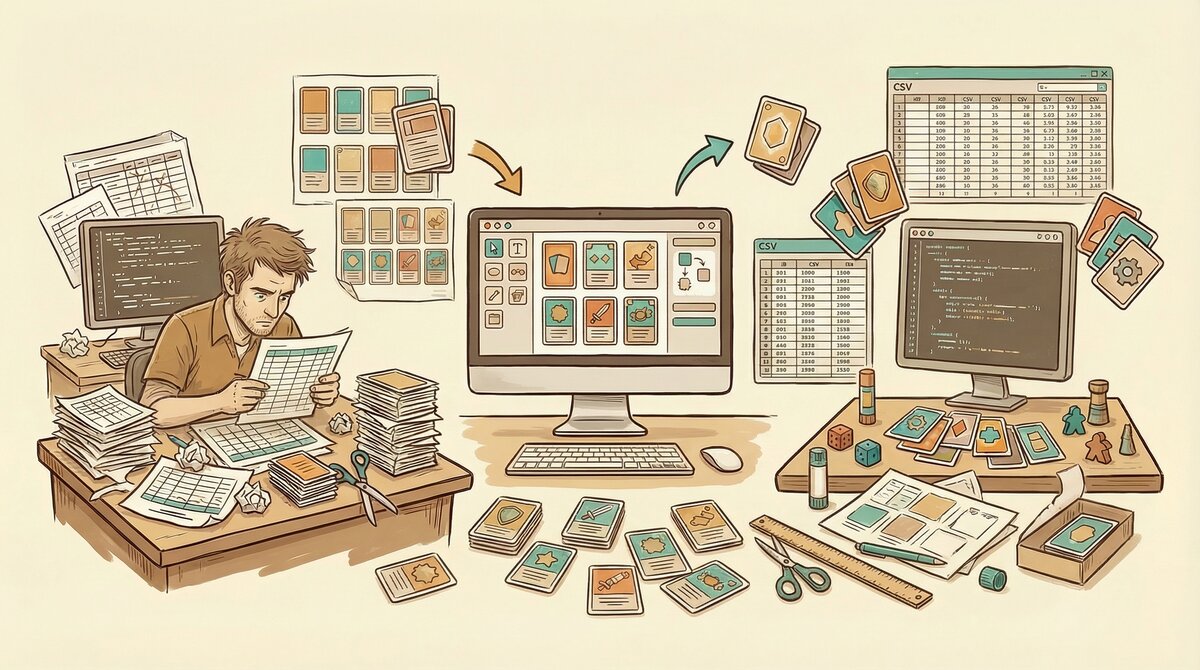 Figure 2. Wave 1: the designer’s reality, surrounded by spreadsheets, scripts, and pixel coordinates, wrestling data into cards by brute force.
The first wave of dedicated card game tools began with nanDECK [1], a free Windows scripting language released in 2006, and matured through the 2010s with tools like Squib [2] (an open-source Ruby framework, 2014) and CardPen [5] (a browser-based HTML/CSS generator). These tools were a real step up from doing everything by hand in Photoshop, but using them felt less like game design and more like software engineering. As someone who writes code for a living, I can appreciate that. But I also know that forcing non-programmers into a code-first workflow is a classic product design mistake.
In this era, a card game was treated purely as a layout problem. All of your game data lived in a massive Excel spreadsheet or a CSV file. Row one was your basic attack card. Row two was your defense card. Row 150 was your ultimate boss monster. Column A was the name. Column B was the cost. Column C was the rules text. And so on, for as many columns as your game demanded.
The Wave 1 tools acted as mail merge on steroids. You wrote a script that said: take the text from column A and print it in a 24-point font at these exact x and y pixel coordinates on the image canvas. Take the number from column B and render it inside this icon template at position (45, 120). Repeat for every row in the spreadsheet. If you needed to move a cost icon three pixels to the left, you opened a code editor, changed an x-coordinate from 45 to 42, recompiled the entire 200-card deck, and prayed it looked right. A card with a title slightly too long? You wrote a conditional statement in your code to shrink the font for that one card. Every visual problem required a programming solution.
The tradeoff was total control. Every pixel was deterministic. Every layout decision was reproducible. Run the script twice with the same data, get the exact same output. For veteran designers who valued precision over convenience, this was worth the pain.
What Wave 1 Could Not Do
But for all their rendering power, Wave 1 tools were blind to the game itself. nanDECK could not tell you if your cards were fun to play, if your pirate-themed deck builder had a dominant strategy, or if your resource curve was broken. It knew nothing about your game. It just knew how to print a spreadsheet.
The content, the actual game design, lived entirely in the designer’s head and in the rows of that spreadsheet. The tool did not care what you were making. It just printed whatever you told it to print.
As a programmer, I actually find Wave 1 tools strangely appealing. Reading through BGG forums, you find nanDECK veterans who swear by the total control it gives them. Squib users on GitHub talk about version-controlling their card data alongside their code, which is something most GUI tools still cannot do cleanly. If you already think in code, this workflow makes perfect sense. But that is exactly the problem: most game designers are not programmers. They are people with brilliant ideas about player interaction, narrative tension, and strategic depth, who should not need to learn Ruby to make a prototype.
By the mid-2020s, the tool landscape had diversified into four distinct quadrants, each solving a different piece of the design-to-table pipeline.
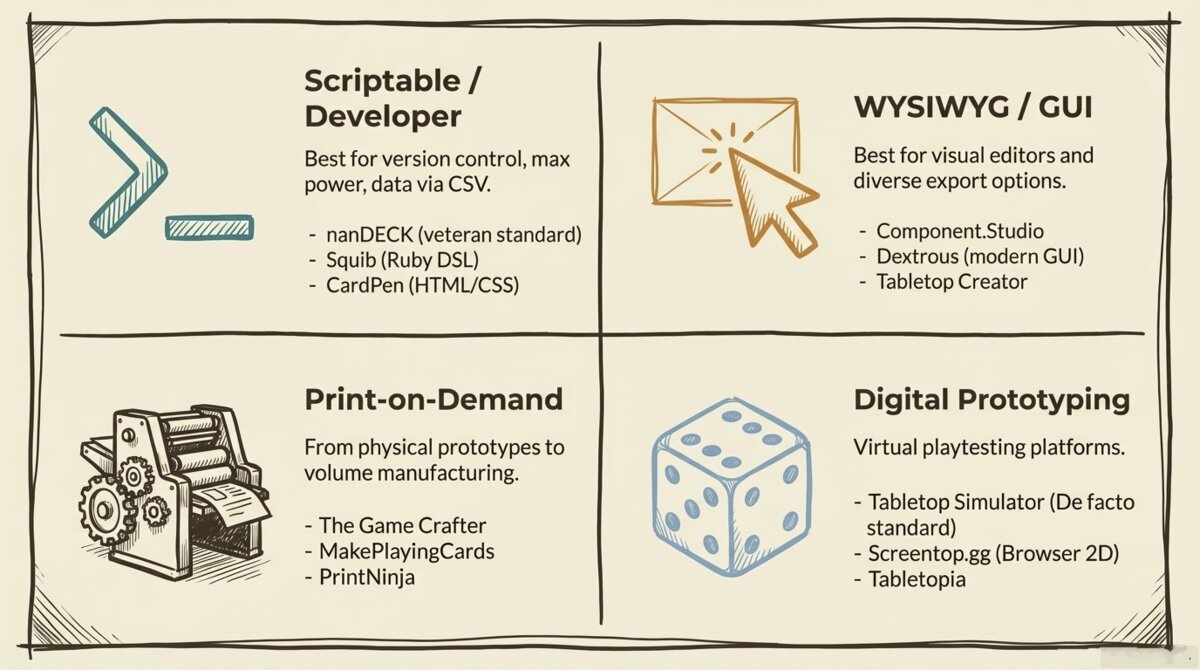 Figure 3. The 2026 tool landscape across four quadrants: scriptable developer tools (nanDECK, Squib, CardPen), WYSIWYG GUI tools (Component.Studio, Dextrous, Tabletop Creator), print-on-demand services (The Game Crafter, MakePlayingCards), and digital prototyping platforms (Tabletop Simulator, Screentop, Tabletopia).
Wave 2: The GUI Era (Late 2010s-2020s)
Visual Editors and Export Pipelines
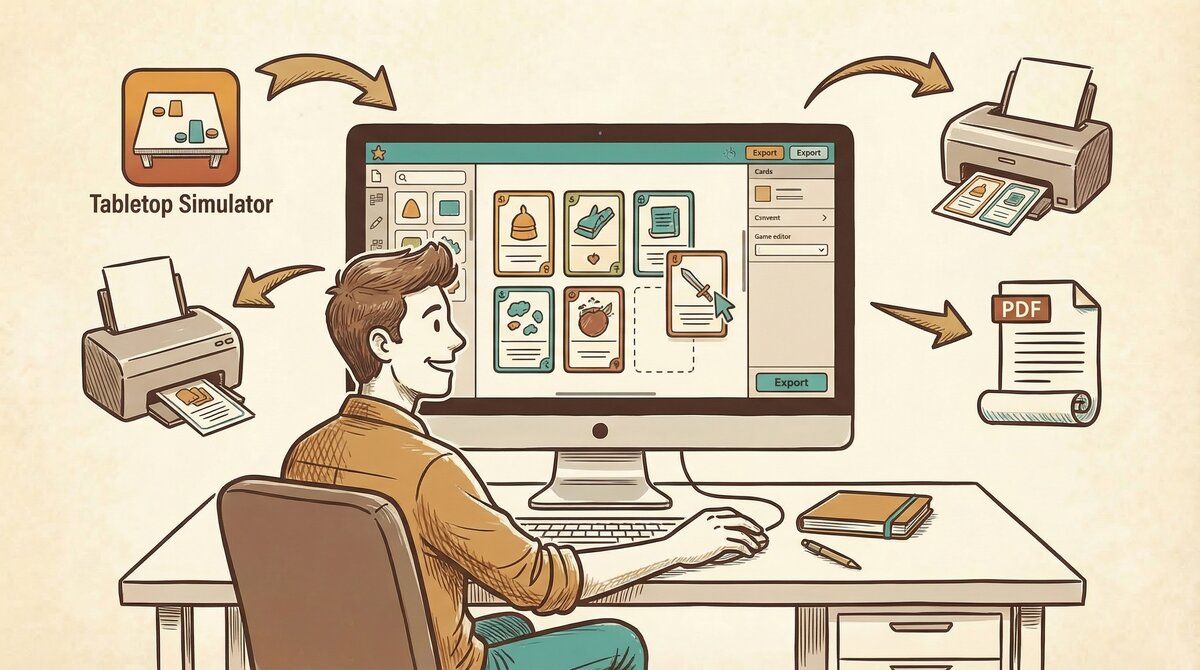 Figure 4. Wave 2: visual editors with one-click export pipelines for Tabletop Simulator, print-on-demand, and PDF.
Starting with Component.Studio [3] in 2017 and accelerating through the early 2020s with Dextrous [4] and Tabletop Creator, a new generation of tools introduced something that seems obvious in retrospect but changed everything: visual editors.
For the first time, card game designers could drag and drop text boxes onto a visual canvas instead of calculating x and y coordinates in their heads. They could see the card as they were building it. They could resize elements with a mouse, preview the deck in real time, and iterate on the layout without touching a line of code.
It was basically desktop publishing software, but specifically built for tabletop games. InDesign for nerds. Component.Studio’s killer feature was its Google Sheets integration, which meant your game data and your visual layout stayed in sync automatically. Dextrous took a different approach, focusing on a polished local editing experience with strong TTS export. Tabletop Creator landed on Steam and attracted designers who wanted an all-in-one desktop app rather than a browser tool. Each had tradeoffs, but all of them eliminated the x-y coordinate problem overnight.
Solving the Deployment Problem
Beyond the visual editor, Wave 2 tools solved a second major pain point: deployment. In software product terms, this is the “last mile” problem, getting the finished work out of the development environment and into the hands of actual users. For card game designers, the last mile had always been awkward. You would export a folder full of raw image files and then spend hours manually importing them into Tabletop Simulator [6], formatting them for print-on-demand services, or arranging them into printable sheets for home prototyping.
Wave 2 tools built direct export pipelines. A single button press could format your deck for Tabletop Simulator, send it to The Game Crafter [7] for physical printing, or generate a PDF laid out for standard card sleeves. The friction between “I finished designing” and “I am playing the game” collapsed from days to minutes.
For the prototyping workflow, this was enormous. The traditional cycle of export, format, upload, test, realize the game is broken, cry, and repeat was dramatically shortened. Designers could iterate faster than ever.
The Blank Page Remained
Wave 2 made formatting easier, exporting seamless, and iteration faster. But the content bottleneck was identical to Wave 1. You were still staring at a spreadsheet, hand-typing 200 rows of card data, and trying to balance the math in your own head. The tool could make your cards look professional and get them onto a table fast, but it could not help you figure out what the cards should actually do.
If Wave 1 gave a writer a clunky printing press, Wave 2 gave them Microsoft Word. The output was prettier, but the writer still had to write the book. One designer on the Board Game Design Lab forum described spending an entire Saturday getting a card layout pixel-perfect in a GUI editor, only to realize the underlying card design was broken because the resource curve was wrong. The tool could not tell him that. Nothing could, except playtesting.
Wave 3: The AI-Native Era (2025+)
Automating the Invention
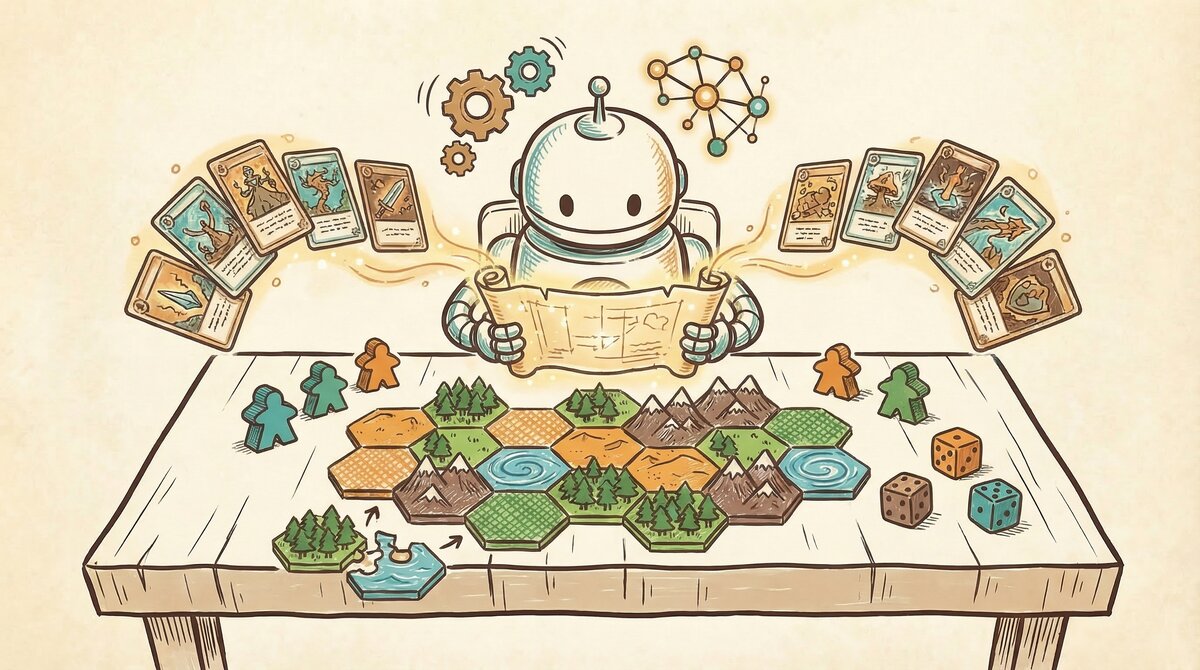 Figure 5. Wave 3: the system reads your game’s ontology and generates balanced cards with mechanics, costs, and synergies. The tool becomes a design partner.
Wave 3 breaks the pattern entirely. Tools emerging in 2025 and 2026 are no longer automating the layout or the export. They are automating the invention.
The spreadsheet is removed entirely as the source of truth. Instead, the foundation of your game becomes a structured game description, known in the research literature as an ontology. If you want to understand the ontology approach in depth, I wrote a deep dive on the topic in Generative Ontology: From Game Knowledge to Game Creation.
An ontology is a machine-readable map of your game’s DNA. It defines the core reality of your game: the theme, the primary mechanics, the resources players use, the turn phases, how victory is achieved, and how all those elements interact with each other.
You feed this DNA map into the system, and it generates the spreadsheet for you. It is not just laying out the cards. It is authoring the rules text, the costs, and the specific mechanics based on the laws of the universe you defined.
To return to the writer analogy: Wave 3 gives the writer a co-author who deeply understands their genre and can draft chapters for them. The writer still sets the vision and the direction. The co-author handles the labor of turning that vision into pages.
The Migration of Value
This shift changes where the competitive advantage lies:
| Wave | Era | Competitive Advantage |
|---|---|---|
| Wave 1 | 2006-2010s | Rendering quality: pixel-perfect card images from data |
| Wave 2 | Late 2010s-2020s | Export breadth: how quickly cards reach TTS or print |
| Wave 3 | 2025+ | Content intelligence: the tool understands your game’s strategy |
A Wave 1 or Wave 2 tool does not know that your pirate-themed deck builder desperately needs a counter to a dominant “hoard gold” strategy. To those tools, a card is just a string of characters. A Wave 3 tool reads the ontology, recognizes the resource economy, and generates cards that participate in balancing the ecosystem. Whether it generates good cards is a separate question, and one I will be honest about in the next article in this series.
What Changed to Make This Possible
Three technical shifts converged to enable Wave 3:
Large language models became reliable enough for structured output. Early LLMs could write creative text, but they could not consistently produce data in a rigid schema. By 2025, models like Claude and GPT-4 could reliably output structured JSON with specific fields, types, and constraints, making them usable as data generators, not just text generators.
Multi-agent architectures replaced single prompts. Asking one AI to “make a card game” produces generic mush. But splitting the task across specialized agents (one for theme, one for mechanics, one for card generation, one for balance testing) produces output with real mechanical depth. Each agent focuses on what it does best, and the pipeline enforces quality at every stage. Cardiverse [12], an academic system presented at EMNLP 2025, demonstrated this approach with graph-based mechanic indexing and self-play validation.
Automated playtesting became computationally feasible. Algorithms like Monte Carlo Tree Search, the same family that powered AlphaGo, can now simulate thousands of games in minutes. For simple card games like deck builders and drafting games, where card effects map cleanly to executable actions (draw, gain resource, force discard), a generated deck can be stress-tested for dominant strategies before a human touches it. For more complex engine builders like Terraforming Mars or Wingspan, the technology can validate card data structure and trigger timing, but fully simulating the game-specific economy (resource production, trading chains, cards-as-currency) remains an active area of development. The gap between “the AI understands your card grammar” and “the AI plays your game” is real, and I will be honest about it in a later article in this series. For a deep dive into how the simulation works today, see AI Playtesting: When Your Board Game Tests Itself.
These three shifts did not arrive as a coherent plan. They converged messily, the way most real technological transitions do.
What This Means for Designers
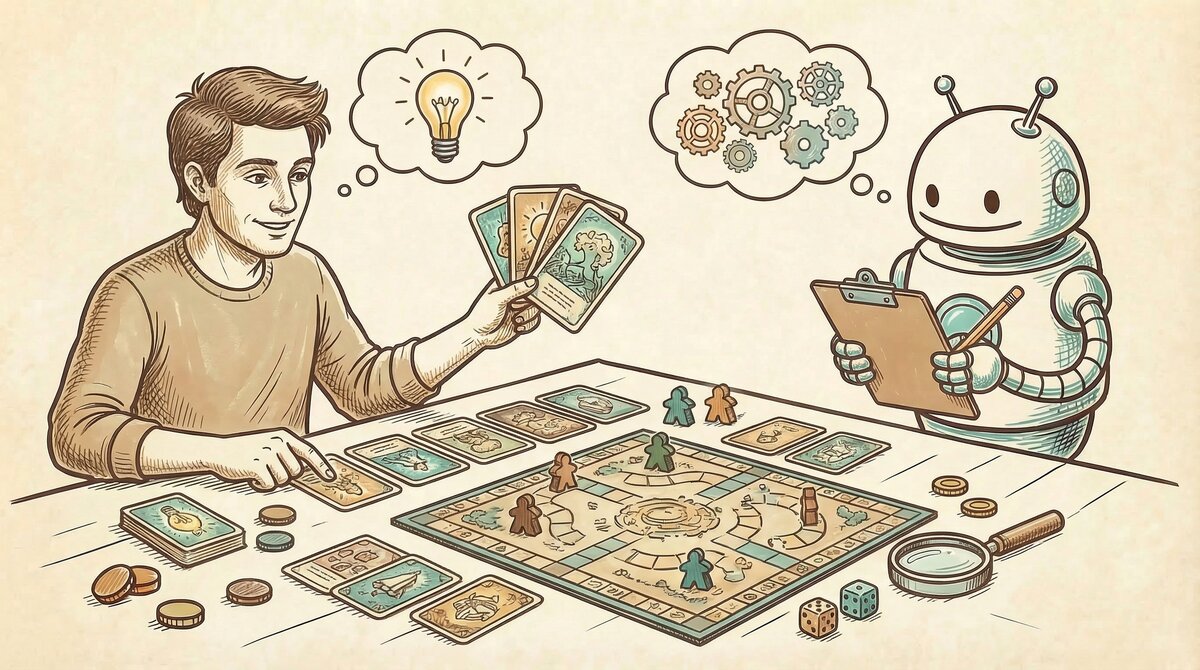 Figure 6. The designer’s role evolves: from spreadsheet manager to creative visionary, with tools handling the data while humans define the vision.
From Spreadsheet Manager to Creative Director
From what I have gathered talking to designers and reading their forum posts, being a card game designer has meant being a spreadsheet manager first and a creative visionary second. The bulk of the time goes to data entry, layout formatting, and manual balance calculations. The actual design work, choosing mechanics, crafting theme, engineering the moments that make a game memorable, gets squeezed into whatever time is left. Any product designer would recognize this as the same problem we see in enterprise software: users spending most of their time fighting the tool instead of doing their actual job.
Wave 3 inverts that ratio. The machine handles the data entry, the layout, the initial balance pass, and the formatting. The designer gets to focus on what they actually care about: what the game should feel like, what decisions should be agonizing, what moments should make players laugh or groan or slam the table.
I want to be honest about the tension here. A lot of designers I have talked to in the community are deeply skeptical of AI in game design, and they have good reasons. There is a real risk that AI-generated content floods the market with mediocre games that technically work but have no soul. I have generated card sets that were mechanically balanced and completely boring to play. Balance is not the same as fun, and I learned that the hard way.
But as someone who has spent decades in software engineering, I see a pattern I have seen before. Programmers went through the same anxiety when IDEs started auto-completing code, when Stack Overflow made every answer searchable, when GitHub Copilot started writing functions for us. Every time, the fear was that the craft would be devalued. Every time, what actually happened was that the tedious parts got automated and the creative parts became more important. The engineers who understood why they were building something became more valuable, not less. The ones who only knew how to type the code had a harder time.
I think game design is heading for the same split. The designer who understands game systems, who can sense that the midgame needs a crisis event to prevent stalling, who knows why a mechanic creates tension at the table even though the math says it is balanced, that person’s expertise matters more than ever. The machine can generate 200 cards. It has no idea which 200 cards the game actually needs. That is still the designer’s call.
The New Skill: Describing Constraints
What has changed is the skill the designer needs to bring to the table. In Wave 1, the critical skill was scripting. In Wave 2, it was visual layout. In Wave 3, the critical skill is the ability to describe the constraints of your game with precision.
The AI’s output is only as good as the ontology you feed it. A vague description produces vague cards. A precise, well-structured description of your mechanics, resources, turn phases, and victory conditions produces cards that interlock, synergize, and challenge.
The designer’s job is shifting from “fill in the spreadsheet” to “define the universe.” In software, we went through the same transition when we moved from writing assembly code to writing high-level specifications. The abstraction level rose, but the design work got harder, not easier. I suspect game design is heading the same direction.
What Comes Next
Wave 3 is powerful, but it is not the end of the story. The current generation of AI-native tools excels at certain types of card games, particularly deck builders and simple drafting games, where the card data model maps cleanly to a structured schema. But as we will explore in the next article in this series, more complex games expose fundamental limits in how AI represents cards.
Engine builders like Wingspan and Terraforming Mars, with their multi-resource costs and cross-card synergy systems, challenge the basic assumptions of the schema. Living card games like Arkham Horror require entirely separate data models for player cards and encounter cards. And games like KeyForge, where a single card has four distinct abilities that fire at different phases of the game, break the schema entirely.
The tools are evolving to meet these challenges. But the gap between what AI can design today and what the most ambitious designers aspire to create is where the most interesting work is happening.
I should be clear about what I am not arguing. I am not saying every designer should adopt Wave 3 tools, or that earlier approaches are obsolete. Some designers may look at everything described in this article and decide it is too complicated, or that the hands-on process of manually crafting each card is part of what makes designing fun for them. There are designers who resist spreadsheets, designers who resist GUIs, and there will certainly be designers who resist AI. That is completely valid. The act of hand-cutting prototype cards on a Saturday afternoon has a tactile satisfaction that no pipeline can replicate. Not every efficiency gain is a net gain if it removes the part of the process you actually enjoy.
My goal with this series is not to convert anyone. It is to show and tell what can be done, so that designers who are curious have a clear picture of the landscape.
I know a number of card game designers personally. Several of them have game ideas that have been collecting dust for years, stuck somewhere between a napkin sketch and a playable prototype, for exactly the reasons laid out in this article. The spreadsheet got too big. The layout took too long. The balance math was overwhelming. Life got in the way, and the project never made it to a table. The designers who are open-minded about new tooling, especially the ones with enough technical fluency to understand what AI pipelines can and cannot do, are the ones I have seen light up when they realize their shelved idea might actually be buildable now. Bringing a designer’s dormant idea back to life, giving them a path from “I always wanted to make this game” to “here is a playable prototype, let us see if it works,” that is the most valuable thing these new tools can offer. Not replacing the designer’s vision, but removing the obstacles that buried it.
For now, the practical reality is this: if you have a game idea sketched on a napkin, the barrier between that napkin and a playable prototype has never been lower. Whether the prototype is any good still depends entirely on you. I have spent enough time in both worlds now to know that game design is no less serious, no less complex, and no less creative than software engineering. It is just a different medium. The tools have gotten dramatically better. The hard part has not changed at all.
References
[1] nanDECK. nanDECK Card Generation Tool. Free Windows scripting language for card layout and rendering.
[2] Andy Meneely. Squib: A Ruby DSL for Card Prototyping. Open-source framework for programmatic card generation.
[3] Component.Studio. Web-based Card Design with Google Sheets Integration. WYSIWYG card design tool with data-driven templates.
[4] Dextrous. Modern WYSIWYG Card Design. Visual editor with TTS and print-on-demand export.
[5] CardPen. Browser-based HTML/CSS Card Generator. Lightweight web tool for card prototyping.
[6] Berserk Games. Tabletop Simulator. 3D physics sandbox for digital board game prototyping.
[7] The Game Crafter. Print-on-Demand for Tabletop Games. Physical production service for indie designers.
[8] MakePlayingCards. Volume Card Printing. Mid-to-high volume card production.
[9] Geoffrey Engelstein and Isaac Shalev. Building Blocks of Tabletop Game Design: An Encyclopedia of Mechanisms. CRC Press, 2019.
- The definitive taxonomy of tabletop game mechanisms, providing the vocabulary that AI ontologies use to classify mechanics.
[10] Benny Cheung. Game Architecture for Card Game Model, Action, and AI (Parts 1, 2, 3). bennycheung.github.io, 2021.
- Three-part series reverse-engineering the architecture and neural network AI of Race for the Galaxy.
[11] Benny Cheung. Generative Ontology: From Game Knowledge to Game Creation. bennycheung.github.io, 2026.
- Deep dive into the ontology-driven approach to generative game design.
[12] Danrui Li, Sen Zhang, Samuel S. Sohn, Kaidong Hu, Muhammad Usman, and Mubbasir Kapadia. Cardiverse: Harnessing LLMs for Novel Card Game Prototyping. EMNLP 2025.
- Academic research on multi-agent LLM pipelines for card game generation, using graph-based mechanic indexing and self-play validation.