artwork by Gemini 3 Pro
Hear Your AI Agents Work in Claude Code
When running five AI agents in parallel, how do you know what’s happening without watching five terminals? The answer is surprisingly low-tech: you listen. By adding voice notifications to Claude Code, we transformed silent terminal output into an ambient, audio-aware experience. This article shows how to build a voice notification system for any Claude Code agent using hooks, a local server, and the ElevenLabs API. Whether you’re running BMAD workflow agents, custom research agents, or your own multi-agent system, you can hear “Research complete” in one voice while “Build succeeded” arrives in another.
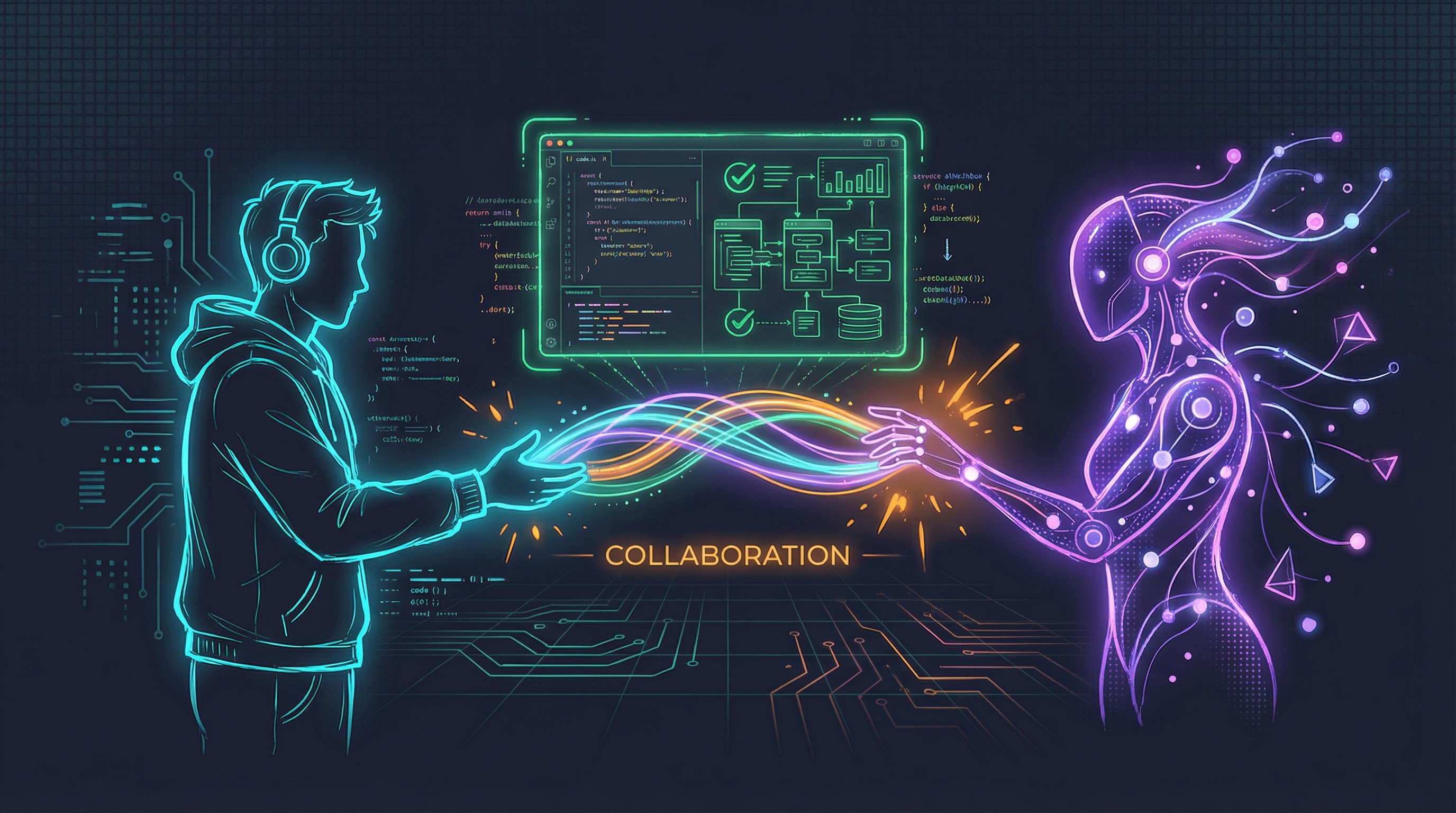
Figure. The future of AI interaction might be more human than we expected. Sometimes the best interface is sound.
The Problem with Silent Agents
Modern AI development has given us something remarkable: the ability to delegate complex tasks to multiple AI agents working in parallel [4]. Claude Code’s Task tool lets us spawn specialized agents: researchers who dig through documentation, engineers who write code, architects who design systems. Agent frameworks like BMAD [6] add even more specialized personas: Mary the analyst who breaks down requirements, Winston the architect who designs solutions.
But there’s a problem. All these agents work silently.
Picture the scene: you’ve asked Claude Code to research three companies, analyze a codebase for security issues, and draft a technical specification, all in parallel. Three agents spin up and get to work. You switch to another task, check email, or grab coffee. When you return, you have no idea which agents finished, which are still working, or if any encountered problems. Your only option is to check each terminal, read through outputs, and piece together the current state.
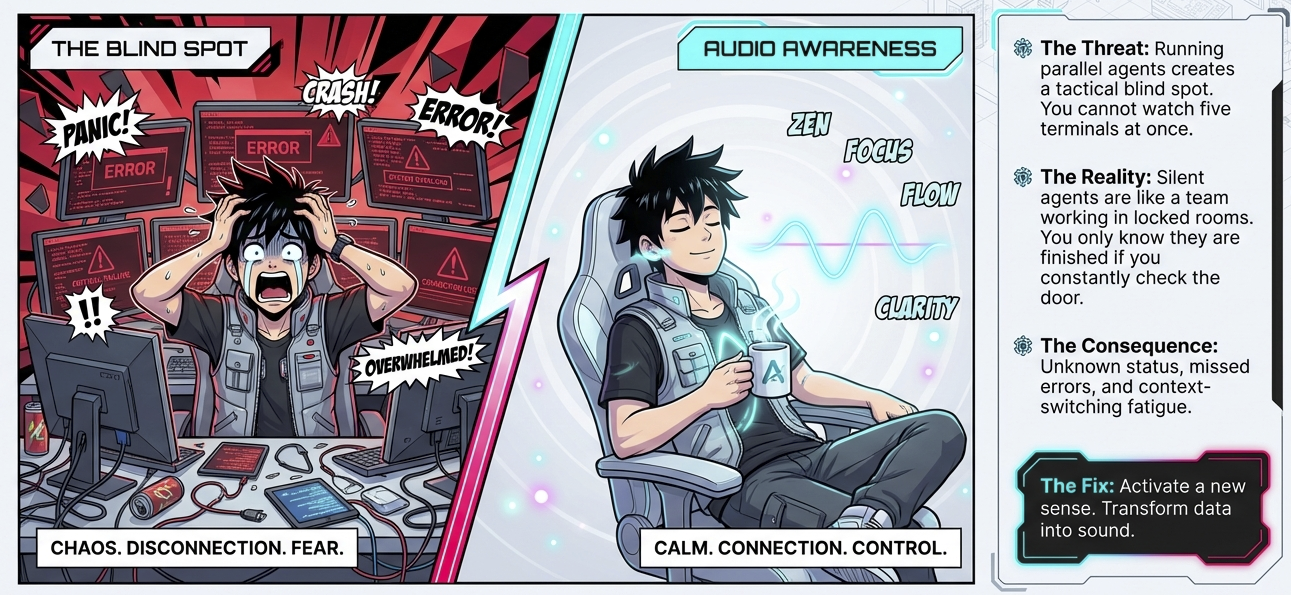
Figure. The blind spot of silent agents: chaos and disconnection versus calm audio awareness.
Running parallel AI agents without voice notifications is like having five people working in separate rooms with no way to know when they finish except by checking each room repeatedly.
The insight that changed everything for us was simple: we have ears. Why not use them?
The Solution: Ambient Voice Notifications
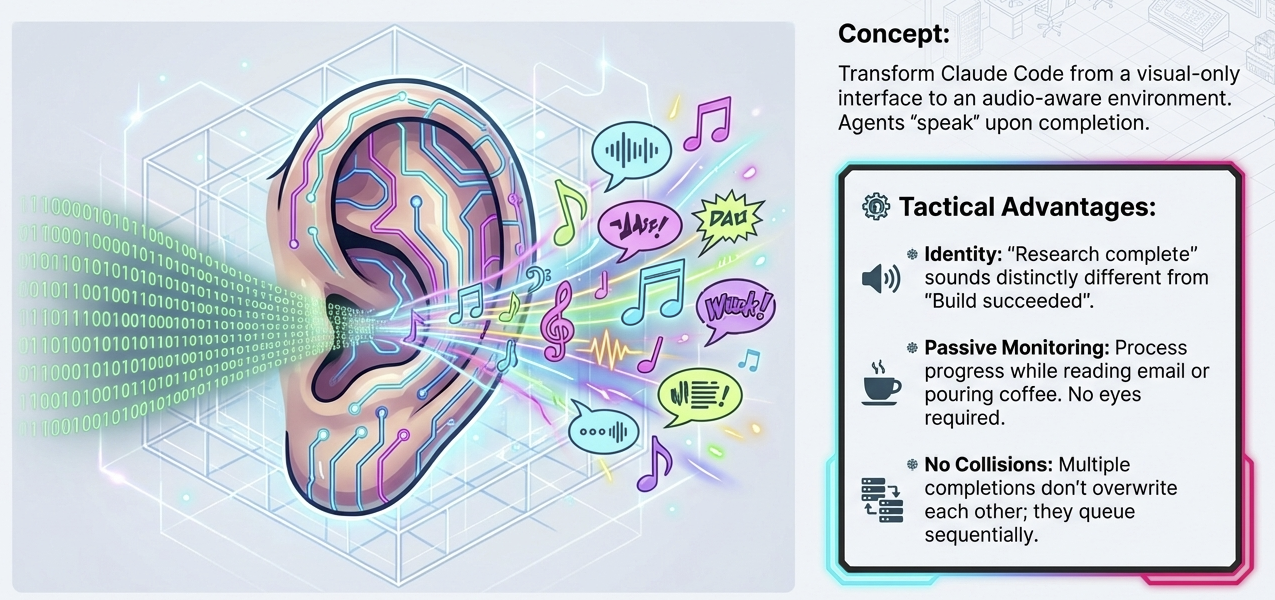
Figure. Transform Claude Code from visual-only to audio-aware. Different sounds for different agents enable passive monitoring.
The solution we built transforms Claude Code from a visual-only interface into an ambient, audio-aware experience [3]. When an agent completes its task, you hear about it, literally. Different agents speak with different voices, so you know who finished without looking at the screen.
The researcher announces in Domi’s analytical tone: “Found 5 papers on AI reasoning techniques.”
The engineer reports in Bella’s steady voice: “Refactored authentication module successfully.”
The architect summarizes in Antoni’s strategic cadence: “Designed microservices architecture with 4 services.”
This works with any Claude Code agent system:
- Built-in agents: researcher, engineer, architect (via the Task tool)
- BMAD agents [6]: Mary, Winston, and other workflow personas
- Custom agents: Any agent you build that follows a simple convention
Let’s explore how to build this system.
System Architecture Overview
The voice notification system consists of four components working together:
| Component | Role | Technology |
|---|---|---|
| COMPLETED Line Convention | Agents summarize their work in 12 words | Prompt engineering |
| Hook System | Detects agent completion, extracts message | Claude Code hooks (TypeScript) |
| Voice Server | Receives notifications, calls TTS API | Local HTTP server (Bun) |
| ElevenLabs API | Converts text to natural speech | External TTS service |
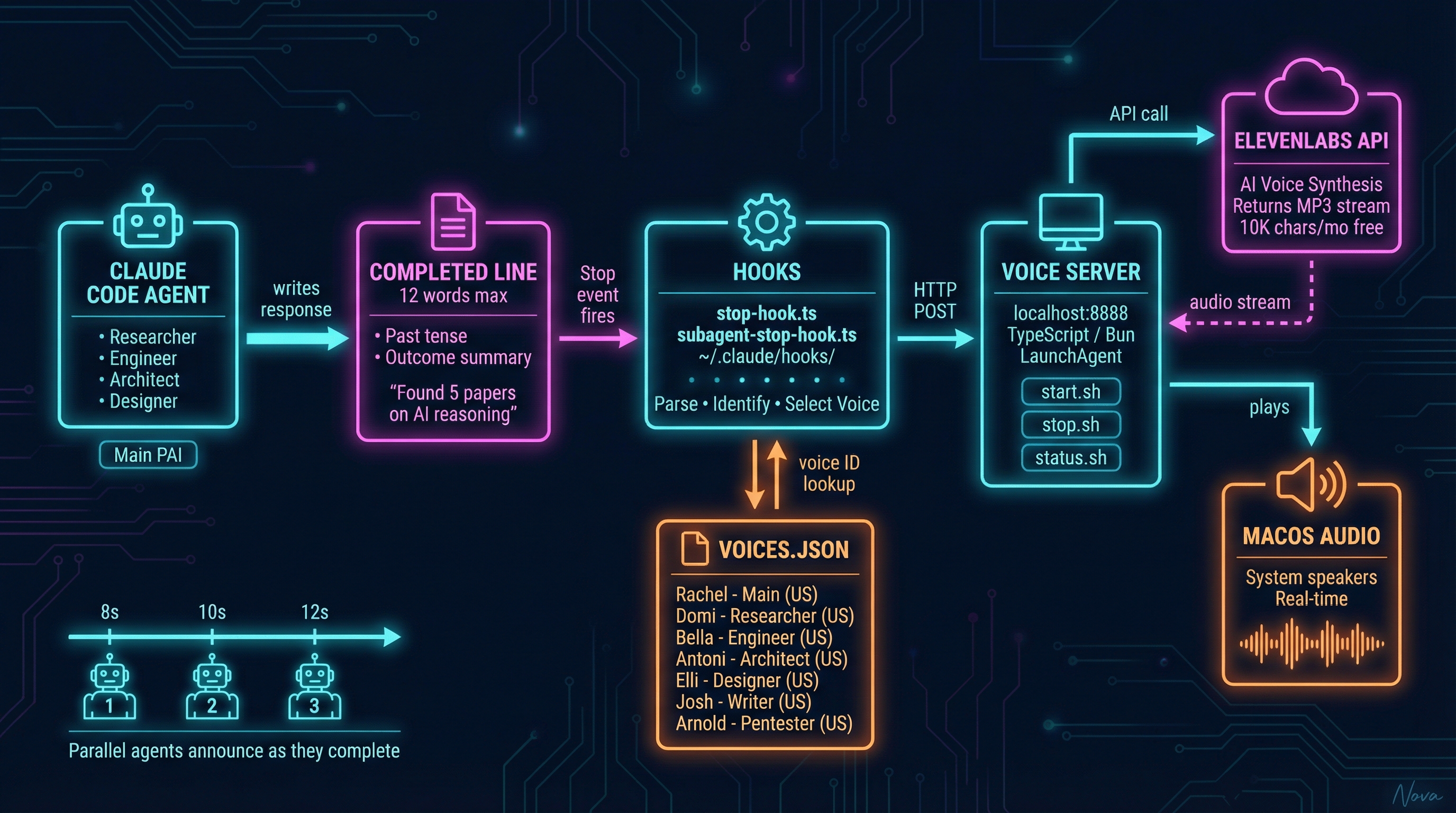
Figure. The four-component architecture inspired by the PAI framework [3]: agents produce COMPLETED lines, hooks detect and parse them [1], the voice server calls ElevenLabs [2], and audio plays through system speakers.
The key design decision is using different voices per agent type. This enables:
- Identification without looking: Know who finished by ear alone
- Cognitive offloading: Your brain processes audio passively while you focus elsewhere
- Parallel awareness: Multiple completions don’t collide; each has a distinct voice
The COMPLETED Line Convention
The entire system is driven by a remarkably simple convention: agents include a COMPLETED: line in their responses that summarizes what they accomplished.
COMPLETED: Successfully analyzed the codebase and found 3 security issues.
This single line becomes spoken aloud through your speakers.
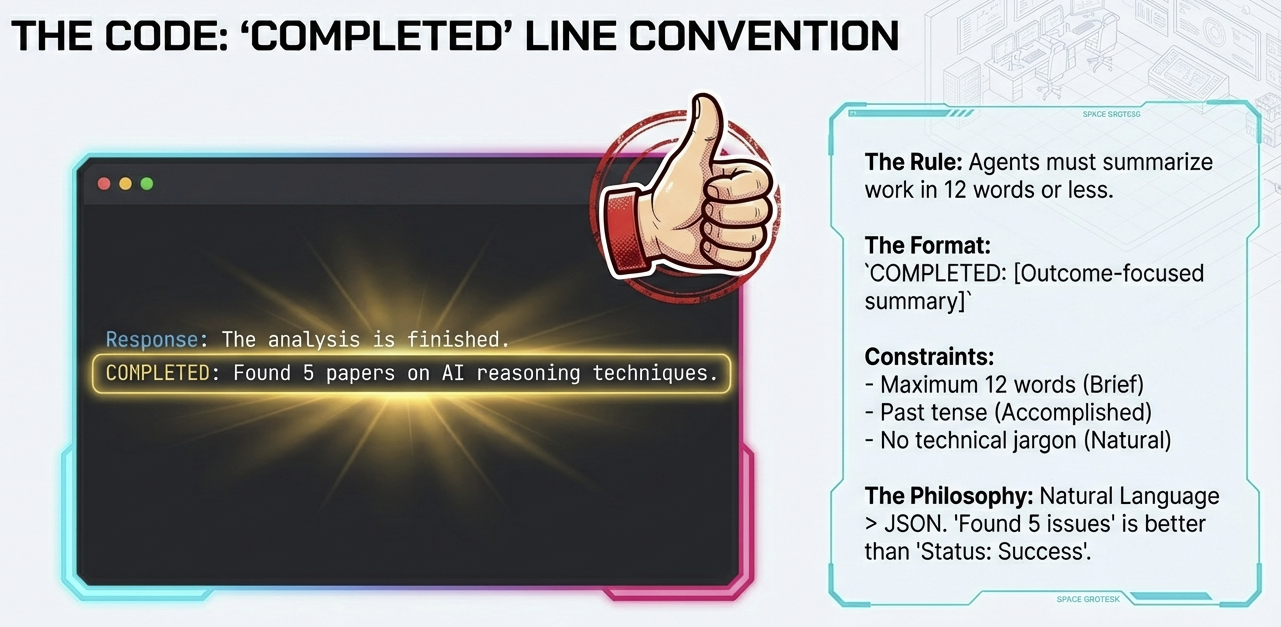
Figure. The COMPLETED line convention: 12 words max, outcome-focused, natural language that sounds good when spoken aloud.
Rules for COMPLETED Lines
| Rule | Reason |
|---|---|
| Maximum 12 words | Keeps voice output brief and natural |
| Past tense | Describes what was accomplished |
| Outcome-focused | “Found 3 issues” not “Searched for issues” |
| No technical jargon | Must sound natural when spoken aloud |
Adding to Your Agent Prompts
Any agent system can adopt this convention. Simply add to your agent’s instructions:
Always end your response with a COMPLETED line summarizing what you accomplished:
COMPLETED: [12 words max describing the outcome]
This works for Claude Code Task tool agents, BMAD workflow agents [6], custom skill-based agents, or any Claude Code subagent that can follow instructions.
Why a Convention, Not Structured Data?
We chose a simple text convention over structured JSON for several reasons:
- Simplicity: No complex parsing required
- Robustness: Regex extraction is reliable
- Human-readable: Works in logs and voice equally well
- Universal: Any agent can follow this pattern
Consider the difference:
- Good: “Found 5 papers on AI reasoning techniques.”
- Bad: “Task research_papers completed with status SUCCESS and result_count 5.”
The first sounds natural when spoken. The second sounds robotic. Since this text will be read aloud, natural language wins.
The Hook System
Claude Code hooks are scripts that run automatically in response to events [1]. Think of them as triggers: “When X happens, automatically do Y.”
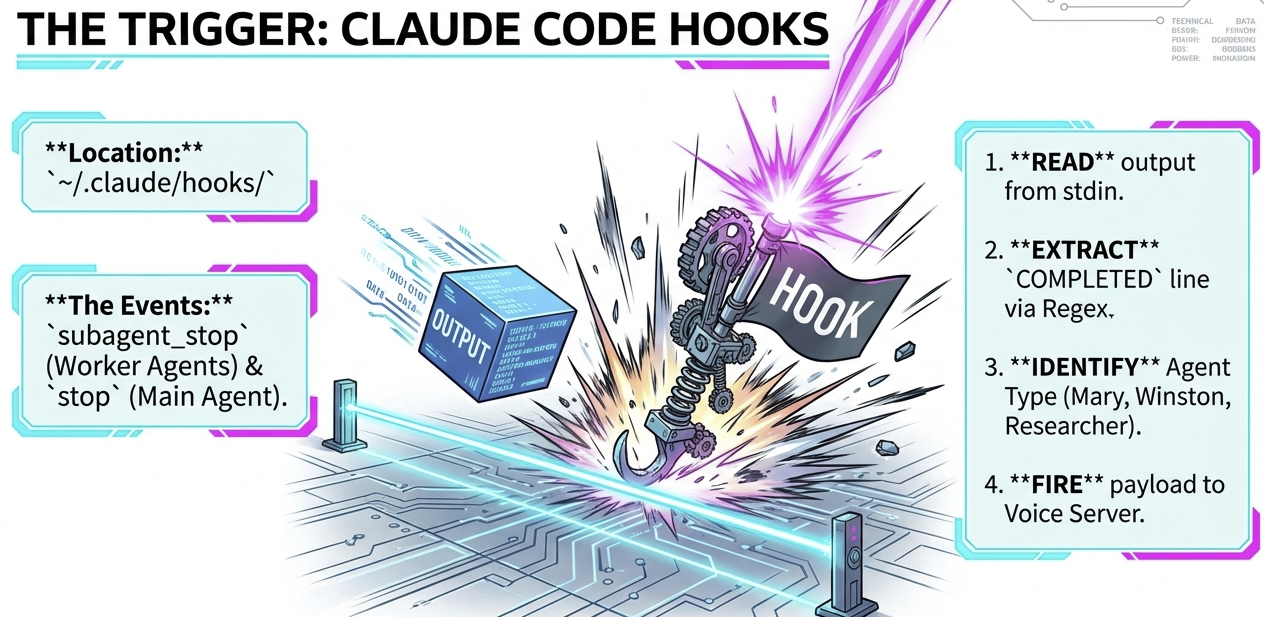
Figure. Hooks trigger on agent completion: read output, extract COMPLETED line, identify agent type, fire to voice server.
Relevant Hook Events
| Hook | Trigger | Purpose |
|---|---|---|
stop |
Main agent completes | Parse main response |
subagent_stop |
Sub-agent completes | Parse researcher, engineer, BMAD agents, etc. |
The hooks live in ~/.claude/hooks/ and must be configured in ~/.claude/settings.json [1]:
{
  "hooks": {
    "stop": [
      {
        "type": "command",
        "command": "bun run ~/.claude/hooks/stop-hook.ts"
      }
    ],
    "subagent_stop": [
      {
        "type": "command",
        "command": "bun run ~/.claude/hooks/subagent-stop-hook.ts"
      }
    ]
  }
}
What the Hooks Do
The subagent-stop-hook handles most voice notifications. Here’s the logic flow:
// Pseudocode for subagent-stop-hook.ts
1. Read agent output from stdin
2. Extract COMPLETED line using regex: /COMPLETED:\s*(.+)/
3. Identify agent type from context (researcher, engineer, mary, winston, etc.)
4. Look up voice ID for that agent type in voices.json
5. POST to http://localhost:8888/notify
Agent Type Detection
The hook identifies agent types from the Task tool’s subagent_type parameter or from patterns in the output. You can extend this for custom agents:
// Example: Detecting BMAD agents
if (output.includes('Mary') || subagentType === 'mary') {
  agentType = 'mary';
} else if (output.includes('Winston') || subagentType === 'winston') {
  agentType = 'winston';
} else if (subagentType === 'researcher') {
  agentType = 'researcher';
}
The detection logic can be as simple or sophisticated as your agent system requires.
Voice Configuration
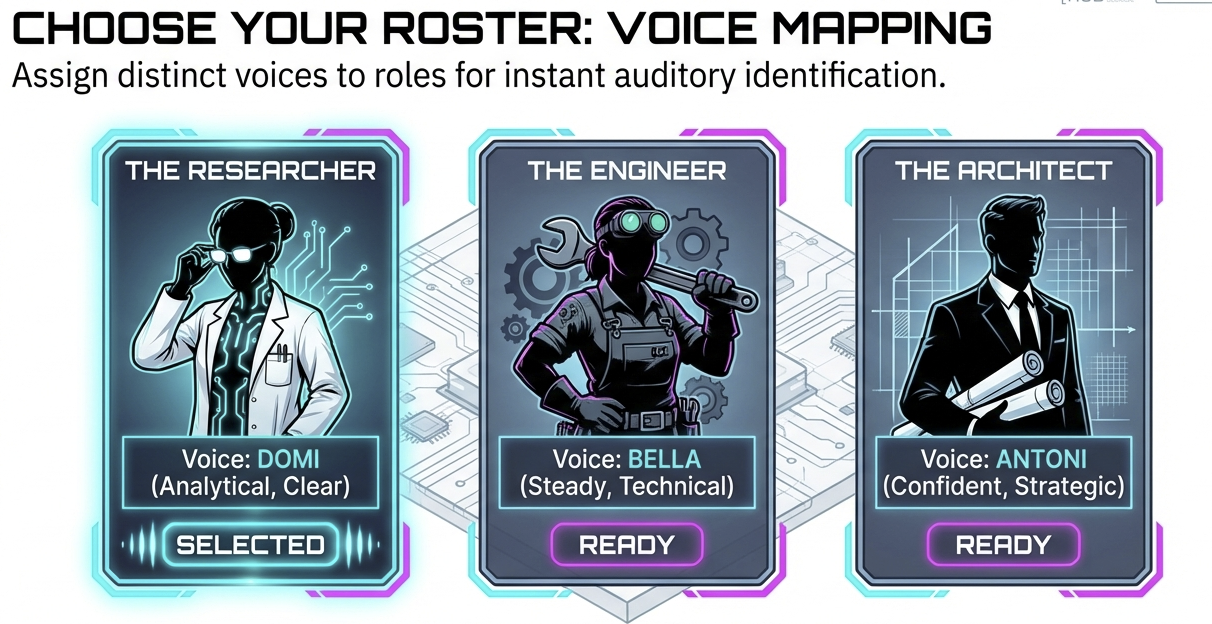
Figure. Assign distinct voices to agent roles for instant auditory identification. Configuration managed in voices.json.
Each agent type maps to a distinct voice, configured in ~/.claude/agent-voices/voices.json:
{
  "voices": {
    "main": {
      "voice_id": "21m00Tcm4TlvDq8ikWAM",
      "voice_name": "Rachel"
    },
    "researcher": {
      "voice_id": "AZnzlk1XvdvUeBnXmlld",
      "voice_name": "Domi"
    },
    "engineer": {
      "voice_id": "EXAVITQu4vr4xnSDxMaL",
      "voice_name": "Bella"
    }
  }
}
Default Voice Mappings
The AgentVoices repository [5] includes default mappings for common agent types:
| Agent | Voice | Characteristics |
|---|---|---|
| Main | Rachel | Warm, Professional |
| Researcher | Domi | Clear, Analytical |
| Engineer | Bella | Steady, Technical |
| Architect | Antoni | Confident, Strategic |
| Designer | Elli | Creative, Expressive |
| Writer | Josh | Articulate, Smooth |
| Pentester | Arnold | Deep, Technical |
BMAD Agents (example customization):
| Agent | Voice | Characteristics |
|---|---|---|
| Mary (Analyst) | Domi | Clear, Analytical |
| Winston (Architect) | Antoni | Confident, Strategic |
| Party Mode | Rachel | Warm, Coordinator |
Voice Selection Philosophy
Choose voices that:
- Are distinct enough to identify the agent type by ear
- Match the persona (analytical voice for analyst, creative for designer)
- Have appropriate pacing for the content type
- Don’t fatigue the ear over extended use
After a few days of use, you’ll recognize agents by voice alone, like knowing which coworker is talking in another room without looking.
The Voice Server
The voice server is a local HTTP service that bridges hooks to the ElevenLabs TTS API [2].
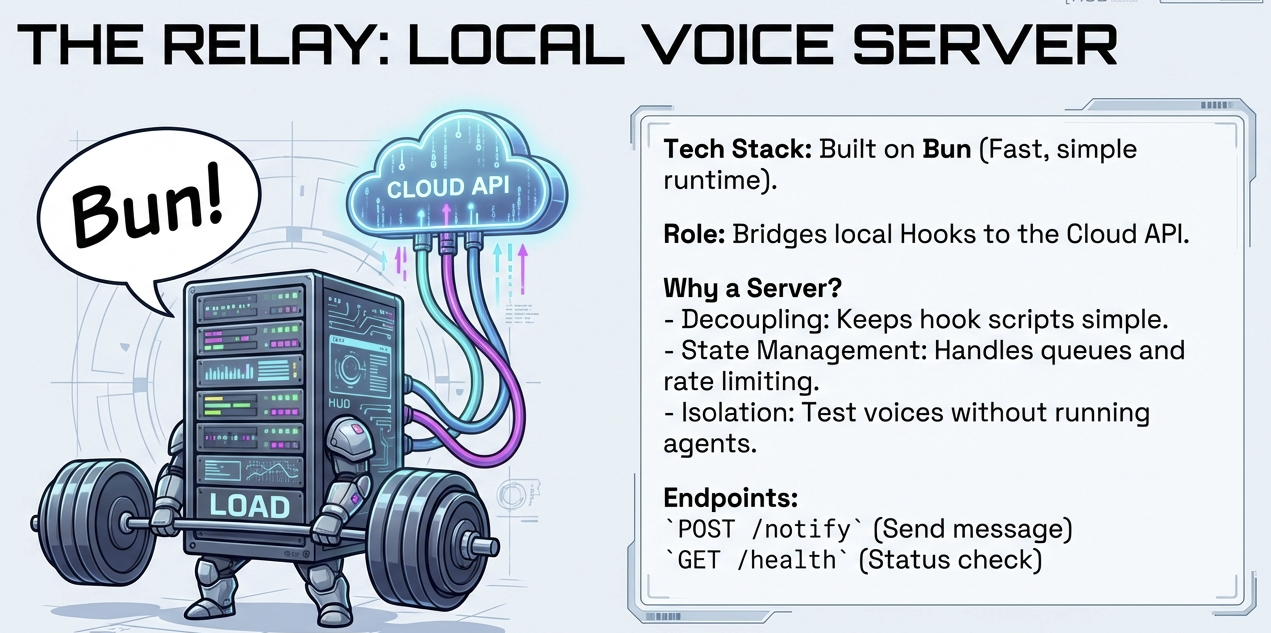
Figure. Built on Bun for speed. Bridges hooks to cloud API, manages queues and rate limiting, enables isolated testing.
Why a Local Server?
- Decoupling: Hooks stay simple; server handles complexity
- State management: Can queue notifications, manage rate limits
- Configuration: Voice settings in one place
- Testability: Can test voice independently of hooks
Repository Structure
The AgentVoices repository [5] is organized as follows:
AgentVoices/
├── server.ts              # Voice notification server
├── voices.json            # Voice configuration
├── hooks/
│   ├── stop-hook.ts       # Main agent completion handler
│   └── subagent-stop-hook.ts  # Sub-agent completion handler
├── scripts/
│   ├── install.sh         # Setup installation
│   ├── start.sh           # Server startup
│   ├── stop.sh            # Server shutdown
│   ├── restart.sh         # Server restart
│   ├── status.sh          # Status check
│   └── uninstall.sh       # Removal script
├── examples/              # Usage examples
└── README.md
The installer deploys the server to ~/.claude/agent-voices/ and hooks to ~/.claude/hooks/. Logs are written to ~/Library/Logs/agent-voices.log.
The API Endpoints
The server exposes two endpoints:
POST /notify - Trigger a voice notification:
curl -X POST http://localhost:8888/notify \
  -H "Content-Type: application/json" \
  -d '{"message": "Task completed", "voice_id": "21m00Tcm4TlvDq8ikWAM"}'
Parameters:
message(required): The text to speakvoice_id(optional): ElevenLabs voice ID (uses default if omitted)voice_enabled(optional): Set tofalseto skip voice outputtitle(optional): Notification title for logging
GET /health - Check server status:
curl http://localhost:8888/health
When the server receives a notify request, it calls ElevenLabs, receives an audio stream, and plays it through your speakers.
Running as a macOS Service
The server starts automatically on login via a macOS LaunchAgent:
- No manual startup required
- Restarts automatically if it crashes
- Logs captured for debugging
This means voice notifications are always available whenever you’re logged in.
ElevenLabs Integration
ElevenLabs provides the text-to-speech engine that makes voices sound natural rather than robotic [2].
Why ElevenLabs?
- Quality: Near-human voice synthesis
- Voice variety: Hundreds of voices to choose from
- Simple API: Single endpoint for text-to-speech
- Reasonable pricing: Free tier for light usage
API Call Structure
The ElevenLabs text-to-speech API [2] uses a simple endpoint structure:
const response = await fetch(
  `https://api.elevenlabs.io/v1/text-to-speech/${voiceId}`,
  {
    method: 'POST',
    headers: {
      'xi-api-key': apiKey,
      'Content-Type': 'application/json'
    },
    body: JSON.stringify({
      text: message,
      voice_settings: { stability: 0.5, similarity_boost: 0.75 }
    })
  }
);
// Returns audio stream (MP3)
The server receives an MP3 audio stream and plays it immediately.
Cost Management
| Tier | Characters/Month | Cost |
|---|---|---|
| Free | 10,000 | $0 |
| Starter | 30,000 | $5/mo |
| Creator | 100,000 | $22/mo |
Usage math:
- Average COMPLETED message: ~50 characters
- 200 notifications/day = 10,000 chars/day
- Free tier covers approximately 1 day of heavy use
Tips for managing costs:
- Keep messages short (the 12-word rule helps)
- Disable voice for routine or bulk tasks
- Use voice selectively for important notifications
Putting It All Together
Let’s trace through complete examples showing how the system works in practice.
Example: Claude Code Researcher Agent
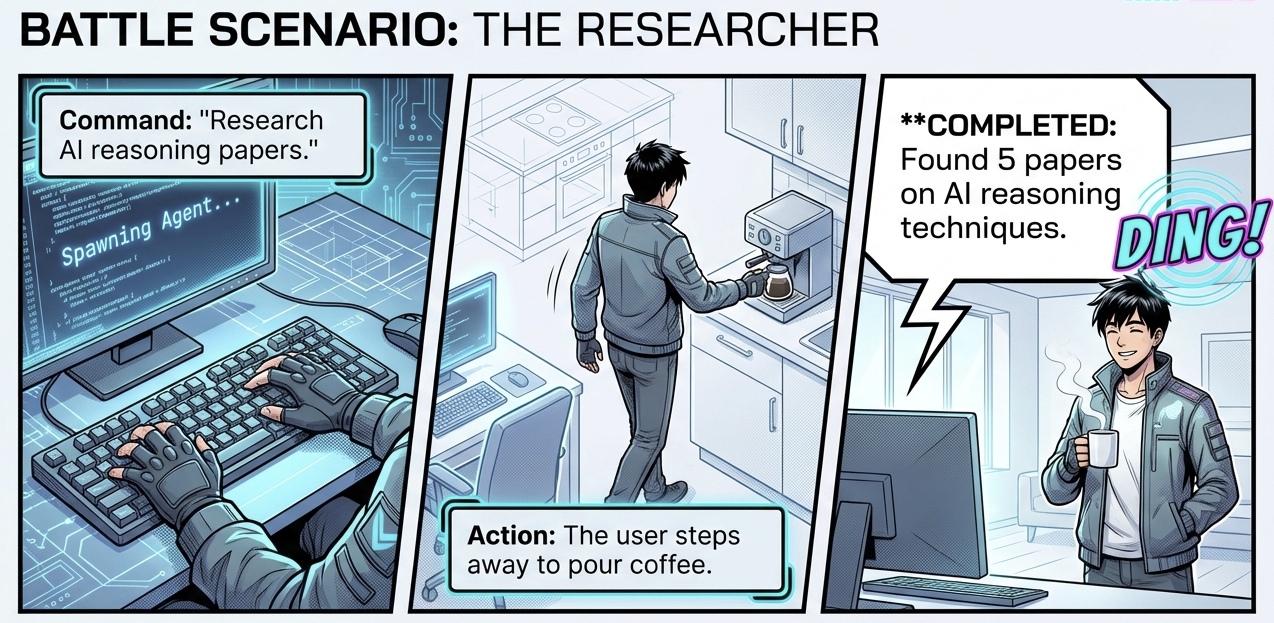
Figure. The researcher scenario: command issued, user steps away, completion announced audibly. Information delivered without screen time.
1. USER: "Research the latest AI papers on reasoning"

2. Claude Code spawns Task tool with subagent_type="researcher"

3. RESEARCHER AGENT: Works, then responds:
   "Found 5 relevant papers on chain-of-thought reasoning..."
   COMPLETED: Found 5 papers on AI reasoning techniques.

4. subagent-stop-hook.ts fires:
   - Detects: subagent_type = "researcher"
   - Extracts: "Found 5 papers on AI reasoning techniques."
   - Looks up: Domi voice ID

5. USER HEARS (in Domi's voice):
   "Found 5 papers on AI reasoning techniques."
Example: BMAD Workflow Agent
1. USER: "Use Mary to analyze the requirements"

2. BmadBridge skill spawns Mary analyst agent

3. MARY AGENT: Analyzes, then responds:
   "Requirements analysis complete with 12 user stories..."
   COMPLETED: Analyzed requirements and created 12 user stories.

4. subagent-stop-hook.ts fires:
   - Detects: agent type = "mary" (from output patterns)
   - Extracts: "Analyzed requirements and created 12 user stories."
   - Looks up: Domi voice ID (analytical voice for analyst)

5. USER HEARS (in Domi's voice):
   "Analyzed requirements and created 12 user stories."
Example: Parallel Agents
When you launch multiple agents simultaneously, the voice system handles them naturally:
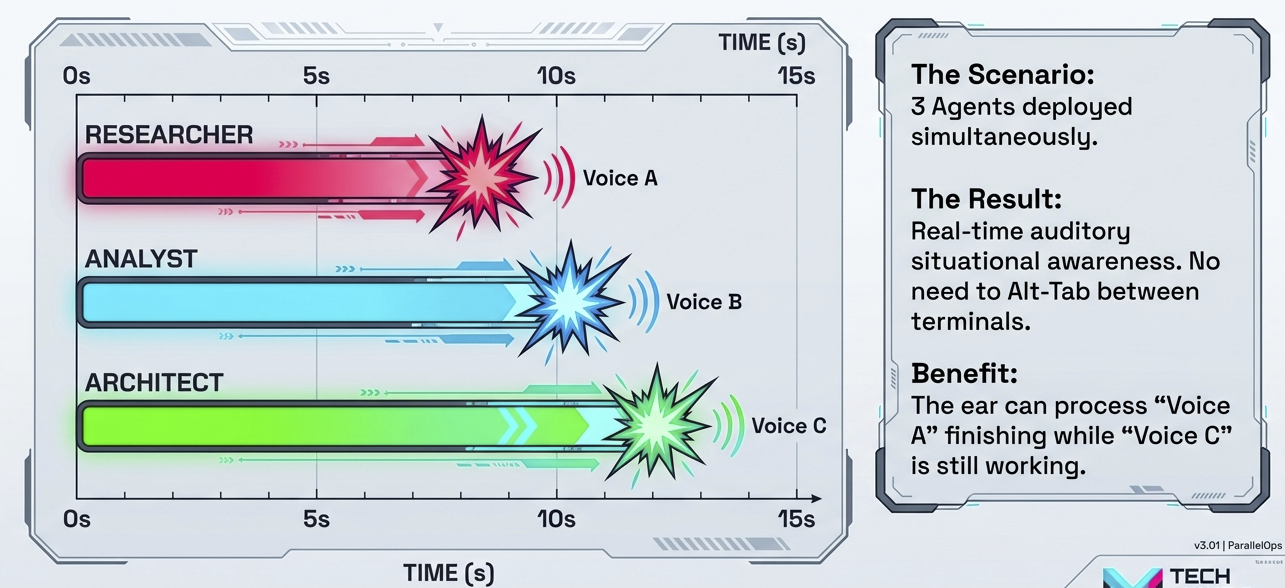
Figure. Three researcher agents working in parallel announce their completions at 8s, 10s, and 12s respectively, giving real-time audio awareness of progress.
Each completion is announced as it happens, giving you real-time awareness of progress without watching terminals.
Setup Guide
Ready to build your own? Here’s how to get started.
Prerequisites
- macOS (tested on 11+)
- Claude Code installed
- Bun runtime
- ElevenLabs account (free tier works)
Quick Start
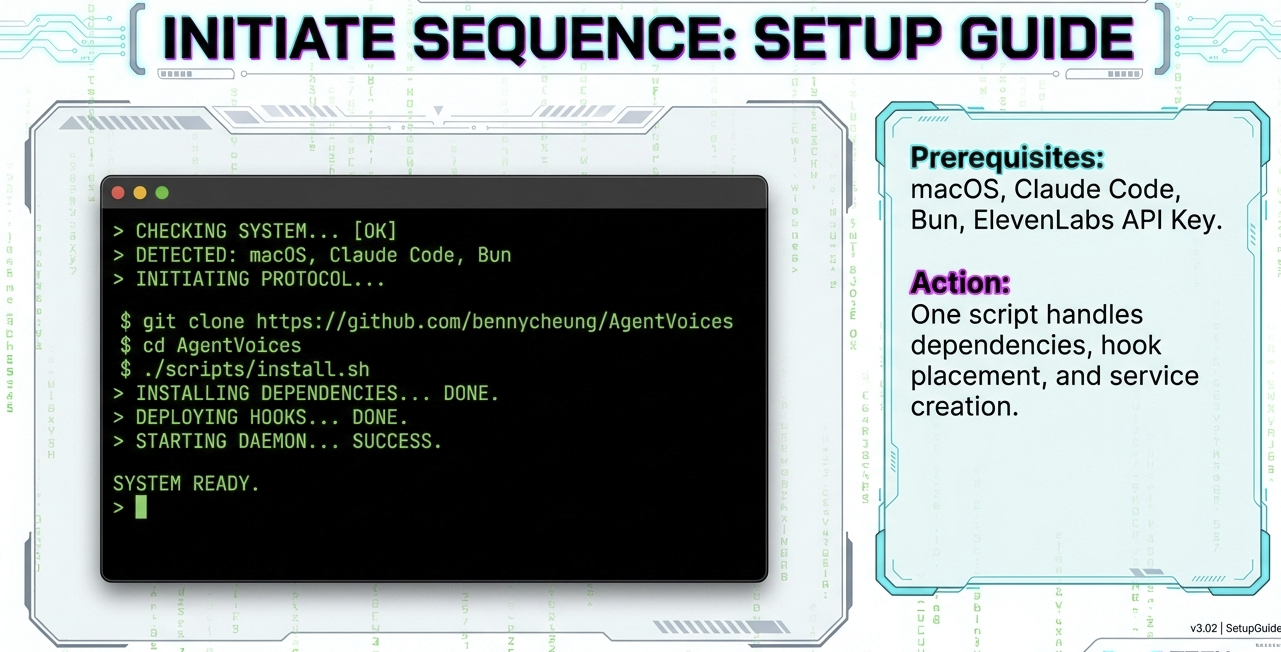
Figure. One install script handles dependencies, hook placement, and service creation. Prerequisites: macOS, Claude Code, Bun, ElevenLabs API key.
# 1. Install Bun (if not already installed)
curl -fsSL https://bun.sh/install | bash

# 2. Get ElevenLabs API key from elevenlabs.io
# Add to your environment
echo "ELEVENLABS_API_KEY=your_key_here" >> ~/.env

# 3. Clone the reference implementation [5]
git clone https://github.com/bennycheung/AgentVoices.git
cd AgentVoices

# 4. Run the installer
./scripts/install.sh
The installer will:
- Install dependencies
- Deploy server to
~/.claude/agent-voices/ - Copy hooks to
~/.claude/hooks/ - Register as a macOS service (auto-start on login)
- Start the voice server
Verify installation:
# Check server status
./scripts/status.sh

# Test voice notification
curl -X POST http://localhost:8888/notify \
  -H "Content-Type: application/json" \
  -d '{"message":"Voice system ready"}'
You should hear “Voice system ready” through your speakers.
Adding Your Custom Agents
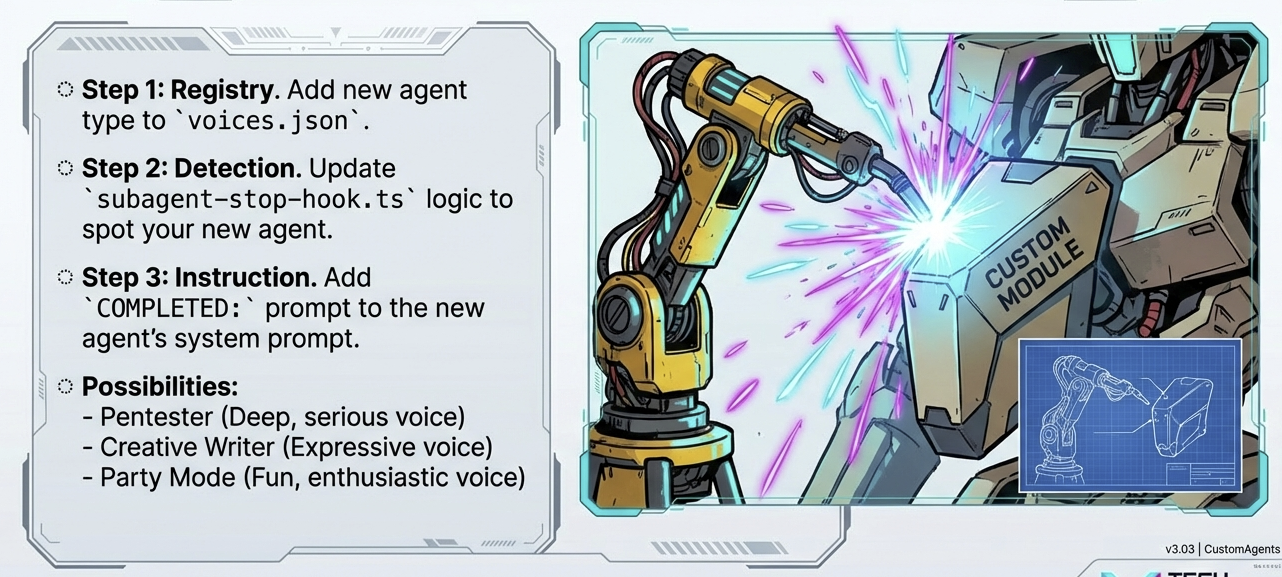
Figure. Three steps to add custom agents: register in voices.json, update hook detection logic, add COMPLETED convention to prompts.
- Add agent type to
~/.claude/agent-voices/voices.jsonwith your chosen voice ID - Update hook logic in
~/.claude/hooks/subagent-stop-hook.tsto detect your agent type - Add COMPLETED convention to your agent’s prompt
Server Management
./scripts/status.sh    # Check if running
./scripts/start.sh     # Start server
./scripts/stop.sh      # Stop server
./scripts/restart.sh   # Restart server
./scripts/uninstall.sh # Remove installation
Troubleshooting Quick Reference
| Symptom | Check | Fix |
|---|---|---|
| No sound | Server running? | ./scripts/status.sh |
| 401 error | API key valid? | grep ELEVENLABS_API_KEY ~/.env |
| Port busy | Something on 8888? | lsof -ti:8888 \| xargs kill -9 |
| View logs | Check errors | tail -f ~/Library/Logs/agent-voices.log |
| Bun missing | Runtime installed? | which bun |
Extensions and Variations
The basic system can be extended in several directions.
Alternative TTS Services
| Service | Pros | Cons |
|---|---|---|
| ElevenLabs | Best quality | Cost at scale |
| OpenAI TTS | Simple API | Fewer voices |
macOS say |
Free, offline | Robotic quality |
| Bark | Open source | Requires GPU |
If cost is a concern, you could use macOS’s built-in say command for routine notifications and reserve ElevenLabs for important ones.
Beyond Completion Notifications
The same architecture supports other notification types:
- Error alerts: Different voice/tone for failures
- Progress updates: “Starting phase 2 of 5”
- Interactive prompts: “Should I continue with the refactor?”
- System status: “Memory usage high” warnings
Cross-Platform Considerations
- Linux: Use
paplayoraplayinstead of macOS audio - Windows: Use PowerShell audio APIs
- Remote servers: Stream audio to local machine via WebSocket
Concluding Remarks
We set out to solve a simple problem: how do you stay aware of multiple AI agents without staring at multiple terminals? The answer turned out to be surprisingly low-tech.
Voice notifications transform Claude Code from a visual-only interface into an ambient, audio-aware experience. The architecture is deliberately simple:
- A text convention (COMPLETED lines)
- Hook scripts that detect and parse
- A local server that bridges to TTS
- An API that generates natural speech
Different voices per agent type means you can identify who finished by ear alone. The researcher speaks differently than the engineer, and both are distinct from the architect. After a few days, this becomes second nature. You hear Domi’s voice and know the research is done without looking up from your other work.
The meta-insight is worth noting: we built sophisticated multi-agent AI systems [4], then realized we needed the most ancient notification mechanism of all, someone calling out “I’m done!” The future of AI interaction might be more human than we expected.
Try adding voice to one agent completion. The first time you hear your AI assistant announce “Task complete” while you’re making coffee, you’ll wonder why every AI system doesn’t do this.
References
[1] Anthropic. Claude Code Hooks Documentation. Anthropic Docs, 2025.
- Official documentation for configuring Claude Code hooks
[2] ElevenLabs. Text to Speech API Documentation. ElevenLabs Docs, 2025.
- API reference for voice synthesis
[3] Daniel Miessler. Building a Personal AI Infrastructure (PAI). danielmiessler.com, Jul 2025.
- The PAI architecture that inspired this voice system approach
[4] Benny Cheung. Process Philosophy for AI Agent Design. Benny’s Mind Hack, Jan 2026.
- Related: Whiteheadian framework for multi-agent systems
[5] Benny Cheung. AgentVoices. GitHub, Jan 2026.
- Reference implementation: Voice notification system for Claude Code agents
[6] BMad Code Organization. BMAD Method. GitHub, 2025.
- Foundations in Agentic Agile Driven Development, known as the Breakthrough Method of Agile AI-Driven Development
- See also: BMAD Method User Guide